

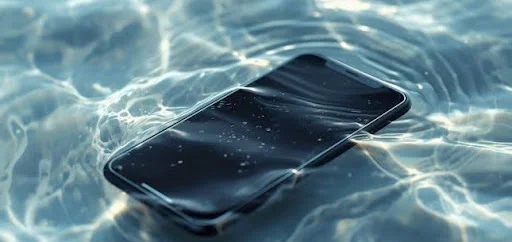
When a phone falls into water, the usual expectation is that it will completely stop working. However, what confuses most users is when the device still powers on, you feel vibrations, hear notifications, or see LED indicators yet the screen remains completely black. This is one of the most common symptoms of moisture exposure, and it often causes panic because the device appears alive while the display stays unresponsive. The truth is that Water Damage Repair is not just about drying the phone; water affects internal components at different speeds, damaging circuits, connectors, and display pathways. That’s why the phone might turn on even though vital screen components have failed.
This article explains, in detail, why the device behaves this way, what internal components are affected, and what you should and shouldn’t do after water exposure. We’ll also break down how technicians revive phones with symptoms like “black screen but working,” why DIY techniques usually fail, and how to avoid irreversible damage.
1. Display Connector Damage
When water enters the device, even a small amount can travel down the display channel and settle around the connector. Water contains minerals and contaminants that conduct electricity differently than the circuit expects. As a result, the signals meant to light up and control the screen become distorted or completely blocked.
This is why you may hear sounds, feel vibrations, or see the notification LED working while the screen stays totally dark. The motherboard is running normally, but the signal reaching the screen is interrupted. Sometimes the connector corrodes instantly; other times, it deteriorates slowly over hours or days.The first and most common reason behind a black screen on an otherwise functioning phone is display connector damage. Your phone’s display doesn’t connect directly to the motherboard; instead, it uses a delicate set of connectors and flex cables. These parts are extremely thin and respond poorly to moisture.
Over time, corrosion spreads like rust inside the connector pins, turning a minor problem into a more serious one. If the connector becomes fully corroded, the screen will never light up unless repaired or replaced. This is why early intervention is crucial.
2. Backlight Circuit Failure
Another major reason a phone appears functional while the screen stays black is backlight circuit failure. The screen on your device isn’t just one piece; it’s made of multiple layers, including the LCD or OLED panel and the backlight layer. The backlight is responsible for brightness, illumination, and visibility of the display.
When water reaches the backlight circuit, it often causes an electrical short. The motherboard still powers on, and everything internally may work correctly but without backlight, the display remains invisible. In some cases, the screen is faintly visible under a flashlight, indicating total backlight failure.
Certain models are more prone to backlight circuit damage, especially older devices and some models commonly brought in for Samsung Repairs. The delicate connection between the backlight IC, filters, and display lines can easily burn out when exposed to moisture.
If you apply external pressure, try to restart the device repeatedly, or expose it to heat, the problem becomes worse. Water damage and backlight components simply don’t mix. Professional diagnosis is required to determine whether only the backlight has failed or if the entire display assembly needs to be replaced.
3. Corrosion on the Motherboard
Corrosion is the silent killer of phones after water exposure. Even if your phone appears to survive the incident, corrosion begins to form in minutes. Water, especially saltwater or chlorinated water, accelerates corrosion significantly.
The motherboard consists of tiny traces, microscopic solder points, and integrated circuits. When water touches these components, a chemical reaction begins that eats away the metal. At first, the effects may be mild; your device might glitch, slow down, or have intermittent screen visibility. But gradually, corrosion spreads to the display line, power IC, and other essential circuits.
Corrosion can cause:
- Partial loss of display signal
- Flickering screen
- Black screen after a few seconds
- Random restarts
- Complete display failure even though the phone “turns on”
Even if you dry the phone or place it in rice, corrosion continues internally. The only proper way to remove it is through ultrasonic cleaning, which uses specialized frequencies to detach corrosion at the microscopic level.
4. Display IC (Integrated Chip) Failure
The Display Integrated Chip, sometimes called the “screen brain,” is responsible for translating graphics and display commands. When water enters the phone, the Display IC is one of the components most vulnerable to damage.
A shorted Display IC produces classic symptoms such as:
- Screen remains black but phone vibrates
- Phone responds to touch (you just can’t see it)
- Flashlight, camera sounds, or alarm still work
Screen may briefly light before dying again
5. Issues That Require System Diagnosis
Sometimes a water-damaged phone powers on but displays a black screen due to system-level errors. Software corruption after water exposure is surprisingly common, especially if the water damages the memory or causes mid-operation shutdown.
Symptoms include:
- Phone turns on but doesn’t show boot logo
- Black screen with vibration only
- Display fails after system crash
- Screen lights up but stays blank
This is where Software Repairs become crucial. If the operating system has been partially corrupted, the phone may fail to load essential display drivers or graphical components. Additionally, system processes may fail to initiate because the water disrupted electrical integrity during boot.
In some cases, the phone boots halfway and freezes before the display initializes. Technicians use specialized tools to reinstall software, read the system logs, or repair corrupted partitions. While software damage isn’t as common as hardware damage in water-exposed phones, it’s still a significant factor when diagnosing black screen issues.
6. Why DIY Fixes Make the Problem Worse
It’s natural to panic after water damage, and unfortunately, the internet is full of misleading advice. Most DIY fixes do more harm than good. One of the most commonly mentioned methods is the rice myth. While rice may absorb surface-level moisture, it does nothing for internal liquid trapped under chips and connectors.
Another harmful technique is the use of heat hair dryers, sunlight, ovens, heaters. Excessive heat warps internal plastic components, melts adhesives, and accelerates corrosion. Shaking or tapping the phone also spreads water deeper into the device.
The only safe action after water exposure is turning the device off and seeking professional support immediately.
7. How Technicians Diagnose & Fix It Properly
Professional repair involves a structured approach that DIY solutions cannot replicate. Here’s how technicians handle water-damaged phones with black screens:
Ultrasonic Cleaning
Technicians remove the motherboard and submerge it in an ultrasonic bath. This breaks down corrosion at a microscopic level, restoring proper electrical connectivity.
Micro-Soldering Work
If the Display IC, backlight IC, or small resistors have been damaged, experts perform micro-soldering under a microscope to repair or replace the affected components.
Display & Backlight Testing
Technicians use separate test screens and backlight testers to determine whether the problem lies with the screen, the backlight, or the motherboard.
Connector Restoration
If display connectors are damaged, they are cleaned, repaired, or replaced entirely to restore proper signal flow.
System Diagnosis
Technicians check whether software corruption is contributing to the problem and restore system-level functions where needed.
This methodical approach ensures that every problem is addressed and the device is restored as fully as possible.
Conclusion
A phone that turns on but shows a black screen after water exposure is experiencing internal component failure, not just screen damage. Whether it’s the backlight circuit, display connector, motherboard corrosion, system-level issues, or IC failure, immediate professional help is essential. SAM Phone Repair provides accurate diagnosis and advanced repair support to reduce long-term complications and increase recovery success. For expert cleaning and safe component-level solutions, trusted technicians can restore your device efficiently and professionally.
FAQs
1. Why does my phone turn on but the screen stays black after water damage?
This usually happens because water has affected display components like the backlight circuit, display connector, or Display IC. The phone may still power on, but the display cannot receive or show visual signals.
2.Can a black screen from water damage be repaired?
Yes. Most black screen cases are repairable if diagnosed early. Technicians can clean corrosion, repair display circuits, replace damaged parts, or fix internal board components depending on the severity.
3. Should I put my water-damaged phone in rice?
No. Rice does not remove moisture trapped under chips or connectors. It also allows corrosion to continue spreading inside the phone. Professional cleaning is the safest and most effective option.
4.How do technicians fix a water-damaged phone with a black screen?
Technicians use ultrasonic cleaning, micro-soldering, display testing, connector restoration, and detailed board diagnostics to restore proper display function. The exact method depends on which component was damaged by water.