

You upgraded to the iPhone 17, paid good money to buy it, and expected it to last. The camera is brilliant, the screen is stunning, and the performance is everything Apple promised. But somewhere in the back of your mind, a familiar anxiety is already creeping in. The battery percentage is dropping faster than you expected. You are charging more than you thought you would. And you are starting to wonder whether something is wrong with your phone or whether this is just what iPhones do.
The truth is, most people never find out the real reasons their iPhone 17 battery is deteriorating rapidly. They blame the software, they blame Apple, they buy a new charging cable, and the problem continues. The actual causes are often hidden, quiet, and completely overlooked, not because they are complicated, but because nobody talks about them plainly.
This article covers the top 10 hidden reasons your iPhone 17 battery is wearing out faster than it should.
Before We Start, What You Need to Know About Your iPhone 17 Battery
The iPhone 17 uses an advanced lithium-ion battery, the same core chemistry as every iPhone before it, but with improved energy density and Apple’s latest battery management system built into iOS 18. Apple states that under normal conditions, the iPhone 17 battery is designed to retain up to 80 per cent of its original capacity after 500 complete charge cycles.
That sounds like plenty of runway. But the hidden reasons on this list can burn through those charge cycles significantly faster than normal conditions suggest, and they can accelerate chemical degradation in ways that standard usage never would.
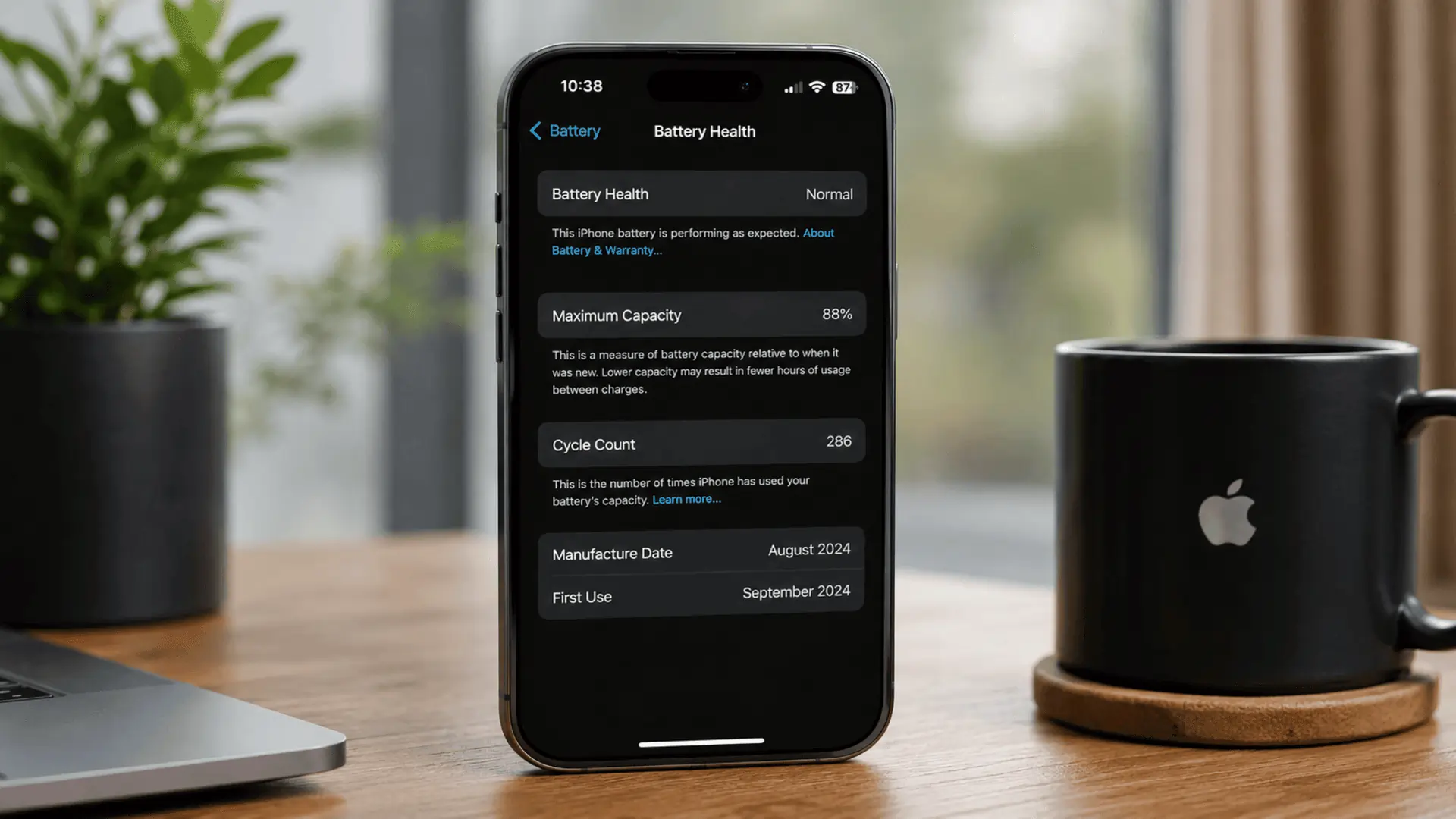
You can check your current battery health right now by going to Settings, then Battery, then Battery Health and Charging. Keep that number in mind as you read through this list. If you notice battery health dropping faster than expected, reduced screen-on time, overheating, or sudden shutdowns, it may be time to consider a professional iPhone repair service to prevent further long-term battery damage.
Reason One: Always On Display Running 24 Hours a Day
The iPhone 17 carries a fresh Promotion display with always-on capability. This feature looks incredible in an Apple store. In real life, if you leave it running continuously without any customisation, it is consuming a quiet but constant stream of power every single hour of every single day, including while your phone is face-up on a desk, a table, or a bedside cabis a high-rent overnight.
The always-on display alone can account for a meaningful percentage of your daily battery consumption without you ever touching the phone. Over weeks and months, this translates directly into additional charge cycles that your battery would not otherwise be going through.
The fix is simple. Go to Settings, then Display and Brightness, then Always On Display, and either disable it entirely or customise it so it only activates in situations where you genuinely need it. This single change can noticeably reduce daily battery drain on the iPhone 17.
Reason Two : Promotion Adaptive Refresh Rate Working Against You
The iPhone 17 display adjusts its refresh rate between 1Hz and 120Hz, depending on what is on screen. When you are scrolling through social media, watching a video, or gaming, it pushes up to 120Hz for buttery smooth motion. The problem is that many apps are not optimised to take full advantage of Promotion efficiently, and some trigger high refresh rates even when displaying relatively static content.
A screen running at 120Hz consumes significantly more power than the same screen running at 60Hz. If your most-used apps are constantly pushing the display to high refresh rates unnecessarily, you are burning through battery capacity faster than the specs suggest you should be.
You can check which apps are consuming the most display power indirectly through the battery usage breakdown in Settings. There is currently no user-facing control to cap refresh rate per app on iPhone 17, but choosing apps that are well-optimised for Promotion makes a real difference over time.
Reason Three: Apple Intelligence Features Running in the Background
The iPhone 17 ships with Apple Intelligence fully integrated into iOS 18. These on-device AI features, including writing tools, image generation, priority inbox sorting, and smart notifications, run processing tasks locally on the device rather than sending everything to the cloud. That means your iPhone 17 is doing genuine computational work in the background, work that consumes processing power, generates heat, and draws on your battery continuously.
This is one of the most overlooked sources of hidden battery drain on the iPhone 17. Users who have Apple Intelligence features fully enabled across every compatible app are running a small but persistent computational load that simply did not exist on older iPhone models.
Go to Settings, then Apple Intelligence and Siri, and review which features you actually use regularly. Disabling the ones you rarely interact with reduces background processing and takes unnecessary load off your battery.
Reason Four: 5G Radio Burning Power in Areas With Patchy Coverage
The iPhone 17 is a 5G device, and 5G radios consume more power than 4G LTE radios, particularly when the network is struggling to maintain a consistent 5G signal. In parts of Adelaide and across regional South Australia, where 5G coverage is still patchy or inconsistent, your iPhone 17 is continuously switching between 5G and 4G signals, boosting radio transmitter power to search for the stronger connection, and repeating this process hundreds of times throughout the day.
This is a hidden battery drain that has nothing to do with how much you are actually using your phone. The radio is doing heavy work just keeping you connected, and it is doing it silently.
Go to Settings, then Mobile Data, then Mobile Data Options, then Voice and Data. Switching from 5G Auto to LTE in areas where 5G coverage is unreliable will noticeably improve battery life and reduce unnecessary charge cycles.
Reason Five: Overnight Charging Without Optimised Charging Enabled
This one surprises people because charging your phone sounds like it should be good for it. The issue is not the charging itself. It is holding the battery at 100 per cent charge for an extended period while you sleep.
Lithium-ion batteries experience voltage stress when held at full charge. The cathode material gradually degrades under these conditions. If your iPhone 17 reaches 100 per cent at midnight and you wake up at 7 am, the battery has been sitting at maximum voltage for seven hours. Do this every night for a year, and the cumulative effect on battery capacity is significant and measurable.
Apple’s Optimised Battery Charging feature, available under Settings, Battery, Battery Health and Charging, is designed specifically to prevent this. Once enabled, your iPhone 17 learns your sleep schedule and holds charging at 80 per cent until shortly before you typically wake up. It is one of the most effective free tools available for protecting long-term battery health, and it should be the first thing you enable on a new iPhone 17.
Reason Six: Wireless Charging Heat Generation
MagSafe and Qi2 wireless charging on the iPhone 17 is genuinely convenient. But wireless charging generates more heat than wired charging, and heat is the single most damaging environmental factor for lithium-ion battery cells. Every time you drop your iPhone 17 onto a wireless charger, particularly a third-party pad that runs hotter than Apple’s own MagSafe charger, you are exposing the battery to elevated temperatures repeatedly throughout the day.
The combination of wireless charging heat plus an enclosed phone case that traps that heat is particularly damaging. Many people charge wirelessly inside a thick case and wonder why their battery health is deteriorating faster than they expected.
When using MagSafe on your iPhone 17, remove the case if it is thick or insulating. Use Apple’s official MagSafe charger rather than a third-party pad where possible. And avoid placing the phone on a wireless charger on top of a surface that itself retains heat, like a foam desk mat.
Reason Seven: iCloud Sync and Background Data Transfers
Your iPhone 17 is constantly communicating with Apple’s servers. iCloud Photos is uploading new images. iCloud Drive is syncing files. iCloud Backup is running. Mail is fetching new messages. If you have recently restored a new iPhone 17 from a backup or set it up fresh, the initial iCloud sync period can last anywhere from several hours to a full day, during which your battery drain will be dramatically higher than normal.
Even beyond the initial setup period, iCloud sync activity runs quietly in the background every day. Users who store large photo libraries, use iCloud Drive heavily, or have multiple iCloud accounts configured on the one device are running more background data transfer activity than they likely realise.
Go to Settings, then your Apple ID at the top, then iCloud, and review which apps are syncing. Disabling iCloud sync for apps you do not genuinely need backed up reduces both background activity and battery consumption.
Reason Eight: Screen Brightness Set Too High for Australian Conditions
This sounds obvious, but the scale of the impact is not. The display is consistently one of the top two or three battery consumers on any iPhone, and the iPhone 17’s larger, brighter Promotion panel amplifies this significantly. In bright Australian outdoor conditions, Auto-Brightness pushes the screen to very high brightness levels to remain legible, and it holds it there for as long as you are outside.
The problem is that Auto-Brightness sometimes does not drop the screen back down quickly enough when you return indoors, and many users manually push brightness up even further than Auto-Brightness suggests. Over the course of a day spent outdoors in Adelaide summer conditions, display power consumption can be far higher than an average day’s usage.
This increased power demand also affects overall speed and efficiency during gaming, streaming, and multitasking. You can also explore the iPhone 17 Speed and Performance Review to understand how performance upgrades may impact battery usage over time.
Make sure Auto-Brightness is enabled under Settings, Accessibility, Display and Text Size. Separately, be mindful of your manual brightness adjustments. Even reducing brightness by 20 per cent in conditions where full brightness is not necessary makes a measurable difference to daily battery consumption and the number of charge cycles your iPhone 17 goes through over its lifetime.
Reason Nine: Using Third-Party Chargers and Uncertified Cables
This is one of the most common and most damaging hidden causes of rapid iPhone 17 battery deterioration. Third-party chargers and cables that are not MFi-certified by Apple can deliver inconsistent voltage, incorrect wattage, or power fluctuations that the iPhone 17’s battery management system has to constantly compensate for. Over time, this inconsistent charging behaviour causes degradation inside the battery cells that is measurably faster than what occurs with certified accessories.
The iPhone 17 uses USB-C, and the USB-C market is flooded with cheap cables and chargers that vary wildly in quality. A cable that charges your phone does not mean it charges your phone correctly.
Always use Apple’s own USB-C cable and power adapter, or accessories from reputable brands that carry Apple’s MFi certification. This is one of the simplest and most overlooked ways to protect your iPhone 17 battery over the long term.
Reason Ten: Ignoring iOS Updates That Contain Battery Optimisation Fixes
This one runs counter to what many people believe. A common piece of advice floating around online is to avoid updating iOS to protect battery life. In reality, the opposite is often true. Apple regularly releases iOS updates that include battery management improvements, fixes for background processing bugs, patches for rogue system processes, and refinements to how the A-series chip handles power delivery.
Staying on an outdated version of iOS means you are potentially missing battery optimisation improvements that Apple has already built and shipped. Some of the most significant hidden battery drain issues on new iPhone models, including the iPhone 17, have been addressed through point updates in the months following the device’s launch.
Go to Settings, then General, then Software Update, and make sure your iPhone 17 is running the latest available version of iOS 18. Enable automatic updates,s so you receive optimisation fixes promptly without having to check manually.
How These 10 Hidden Reasons Connect
What makes these causes particularly damaging is that most people are experiencing several of them simultaneously without realising it. An iPhone 17 with Always On Display active, Apple Intelligence running across every app, wireless charging happening inside a thick case every night without Optimised Charging enabled, sitting in a patchy 5G zone all day, is experiencing battery stress from five different directions at the same time. Each cause might seem minor. Combined, they explain why some iPhone 17 users see battery health drop noticeably faster than Apple’s official figures suggest they should.
Addressing even three or four of the items on this list can make a genuine, measurable difference to how long your iPhone 17 battery stays healthy.
When the Battery Has Already Deteriorated, What to Do
If your iPhone 17 battery health has already dropped significantly despite good habits, or if you are experiencing unexpected shutdowns, excessive heat during charging, or dramatically shortened daily run time, it is time to get the battery assessed by a professional rather than continuing to troubleshoot software settings.
A professional battery replacement on the iPhone 17 restores original capacity, eliminates unexpected shutdowns, and gives the device a second life without the cost of upgrading. It also ensures the water resistance seal and Face ID system remain fully intact after the repair, something that is genuinely at risk during any amateur disassembly attempt.
If you are in Adelaide and your iPhone 17 battery is giving you grief, the team at Sam Phone Repair in Adelaide offers professional iPhone or other tech repair services and replacement with quality components, carried out by experienced technicians who understand the specific hardware involved in Apple’s latest devices.
Frequently Asked Questions
Q: Does the iPhone 17 battery deteriorate faster than older iPhones?
A: The iPhone 17 introduces new features, including Apple Intelligence, Promotion at 120Hz, and always-on display capabilities, which all add background power demand.
Q: How do I check my iPhone 17 battery health?
A: Go to Settings, then Battery, then Battery Health and Charging. The percentage shown is your maximum capacity relative to when the battery was new.
Q: Does wireless MagSafe charging damage the iPhone 17 battery faster?
A: Wireless charging generates more heat than wired charging, and heat accelerates lithium-ion degradation.
Q: Should I update iOS or avoid updates to protect my battery?
A: You should update. Apple regularly includes battery management improvements and background process fixes in iOS updates.
Q: Is it worth replacing the iPhone 17 battery, or should I just buy a new phone?
A: If your iPhone 17 is otherwise performing well and the battery is the primary issue, replacement is almost always the more cost-effective choice.
Final Thoughts
Your iPhone 17 is an impressive piece of technology, but its battery is still a lithium-ion cell governed by the same chemistry that has powered every smartphone for the past two decades. The hidden reasons on this list are not design flaws or manufacturing defects. They are the predictable result of powerful new features meeting real-world Australian usage conditions.
The good news is that most of these causes are manageable. Small, consistent changes to how you charge, how you configure your settings, and how you think about your phone’s background activity can meaningfully extend your iPhone 17 battery life well beyond what the average user experiences.
And when those changes are not enough, professional battery replacement in Adelaide is straightforward, affordable, and the smartest way to get more life out of a device you have already invested in.