


BLOG
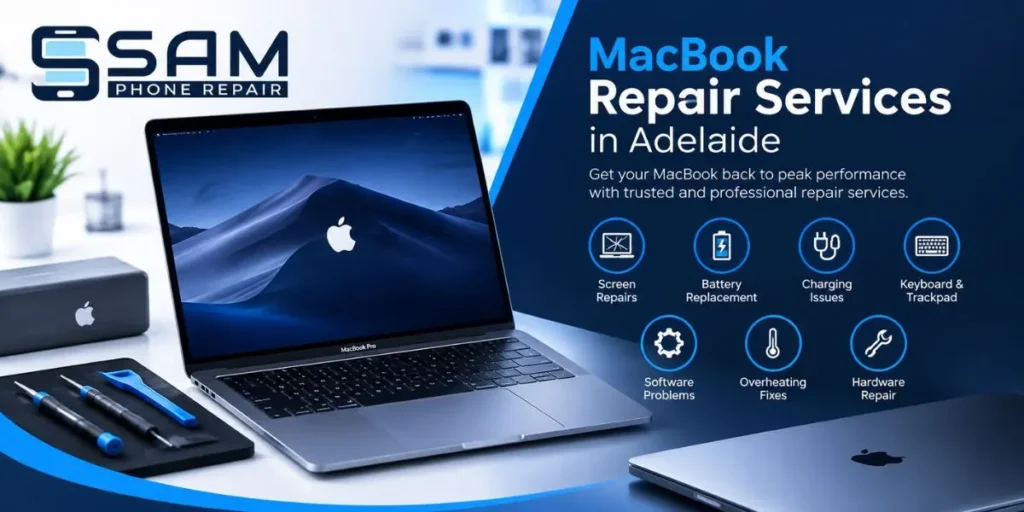
A MacBook is an important part of work, study, business and everyday life. When it develops a problem, even a small issue can quickly become frustrating. From a cracked display and poor battery life to charging problems and software issues, getting the right repair can help restore your device and avoid the cost of buying a replacement.
If you are looking for MacBook Repair Services in Adelaide, it is important to understand what services are available, what problems may require professional attention and how to choose a reliable repair provider.
Common MacBook Problems That Need Professional Repair
MacBooks are designed for long-term use, but regular wear and accidental damage can still affect their performance. Some common problems include:
Cracked or damaged screens
Battery draining quickly
MacBook not charging
Keyboard or trackpad problems
Slow performance
Software issues
Overheating
Charging port faults
MacBook not turning on
Internal hardware problems
A professional technician can inspect the device and identify the actual cause before recommending a repair. This is important because similar symptoms can sometimes be caused by completely different hardware or software problems.
MacBook Screen Repairs in Adelaide
A damaged screen is one of the most noticeable MacBook problems. A fall, pressure or accidental impact can cause cracks, display lines, black spots, flickering or other display issues.
If you need macbook screen repair adelaide, choosing an experienced repair technician is important. A proper screen replacement should be compatible with the specific MacBook model and installed carefully to protect the surrounding components.
Professional screen repair can be a practical option when the rest of the MacBook is still working well. Instead of replacing the entire device, repairing the damaged display may help extend its useful life.
MacBook Battery Replacement
Battery performance naturally decreases over time. You may notice that your MacBook runs for a shorter period, shuts down unexpectedly or struggles to hold a charge.
When the battery has reached the end of its useful life, macbook battery replacement Adelaide can help restore everyday usability. Before replacing the battery, a technician should check its condition and rule out other possible causes of charging or power problems.
If your MacBook becomes unusually hot, the battery appears swollen or the device behaves abnormally while charging, professional assessment should be a priority.
Charging and Power Problems
A MacBook that refuses to charge can be caused by several things. The issue could involve the charger, charging cable, charging port, battery or internal components. Software and power-management problems can also affect charging behaviour.
Rather than replacing parts without knowing the cause, professional diagnosis can help identify the actual problem. This approach can save time and prevent unnecessary repair costs.
MacBook Software and Performance Issues
Not every MacBook problem is related to physical damage. Software problems can cause slow performance, freezing, application crashes, startup issues and other frustrating symptoms.
Before assuming that your MacBook needs a major hardware repair, it is worth checking storage, software, system settings and other possible causes. A professional technician can help determine whether the problem is software-related or connected to failing hardware.
Sam Phone Repair provides repair support across a range of device issues and focuses on diagnosis and practical repair solutions.
How MacBook Repairs Compare With Other Device Repairs
A repair business that works with multiple types of devices can be useful when you have more than one device requiring attention. For example, mobile phone repair Adelaide services can help with smartphones, while MacBook and other computer repairs can address laptop-related problems.
Similarly, if you have a Windows computer rather than a MacBook, Laptop repair in Adelaide may cover issues such as damaged screens, batteries, keyboards, storage failures, overheating and software problems.
For damaged laptop displays, laptop screen repair Adelaide can also be an option when replacing the entire laptop is unnecessary.
Why Choose Professional MacBook Repair Services?
Trying to repair a MacBook without the right tools or experience can create additional problems. Modern laptops contain delicate internal components, and incorrect handling can cause further damage.
A professional repair service can provide:
Proper device diagnosis
Experienced technicians
Suitable replacement parts
Careful handling of internal components
Clear repair recommendations
Practical solutions based on the device problem
Sam Phone Repair highlights experienced technicians, quality replacement components, competitive pricing and quick turnaround as part of its repair approach.
How to Choose the Right MacBook Repair Service in Adelaide
Before handing over your MacBook, consider a few important factors.
1. Check the repair experience
Choose a provider that has experience working with MacBooks and similar devices.
2. Ask about the problem and repair process
A good technician should explain what is wrong and what repair is recommended.
3. Compare repair costs
Ask for a quote before approving the repair so you understand the expected cost.
4. Ask about replacement parts
Find out what type of replacement part will be used and whether it is suitable for your MacBook model.
5. Consider turnaround time
If you use your MacBook for work or study, ask how long the repair is expected to take.
6. Protect your data
Where possible, keep a backup of important files before submitting your device for repair.
When Should You Get Your MacBook Repaired?
It is usually better not to ignore a problem that is getting worse. If your MacBook is overheating, losing battery power quickly, showing display problems, refusing to charge or becoming unusually slow, getting it checked early may help prevent further issues.
A small problem can sometimes develop into a more expensive repair if it is left untreated. Professional diagnosis can help you understand whether repair, maintenance or replacement is the better option.
Frequently Asked Questions
1. How much do MacBook repairs cost in Adelaide?
The cost depends on the MacBook model and the type of problem. Screen, battery, charging, software and internal component repairs can all have different costs. It is best to request a quote after the device has been assessed.
2. How long does a MacBook repair take?
Repair time depends on the issue and the availability of the required parts. Some repairs may be completed quickly, while more complex hardware problems can take longer.
3. Can a cracked MacBook screen be replaced?
Yes, a damaged MacBook display can often be replaced. A technician should first assess the screen and surrounding components to determine the appropriate repair.
4. When should I replace my MacBook battery?
If the battery drains unusually quickly, does not hold a charge, causes unexpected shutdowns or shows other signs of deterioration, it may be time to have the battery professionally assessed.
5. Can a MacBook that will not turn on be repaired?
In many cases, yes. The cause could be related to the battery, charger, charging port, software or internal hardware. A professional diagnosis can identify the likely cause.
6. Is it better to repair or replace a MacBook?
It depends on the MacBook’s age, condition, repair cost and overall performance. If the device is otherwise working well, repairing a specific fault may be more practical than purchasing a new computer.
Conclusion
A damaged or poorly performing MacBook does not always mean you need to replace the entire device. From screen damage and battery problems to charging faults and software issues, many common problems can be assessed and repaired by an experienced technician.
When searching for MacBook Repair Services in Adelaide, look for a provider that offers proper diagnosis, quality repair solutions, clear pricing and careful handling of your device. Sam Phone Repair provides repair services for MacBooks, laptops and other devices, helping customers address a wide range of common repair problems.
Getting the right repair at the right time can help restore your MacBook’s performance and extend its useful life.