


BLOG
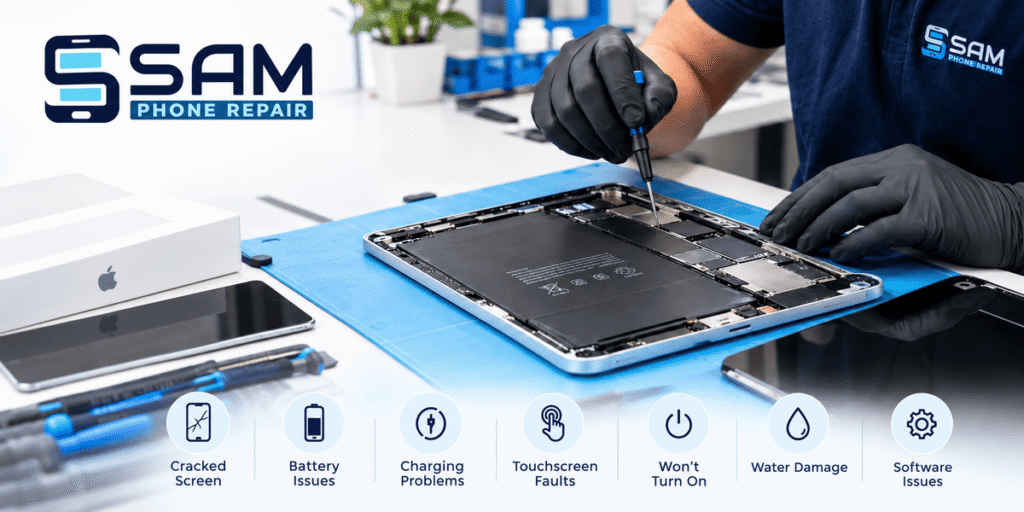
An iPad can be a valuable part of everyday life. It may be used for work, online learning, managing documents, watching videos, communicating with family or simply browsing the internet. When something goes wrong, even a relatively small fault can quickly become inconvenient.
A cracked display, a battery that no longer lasts through the day, a charging port that stops working, or a device that suddenly refuses to turn on can all affect how you use your tablet.
The good news is that not every problem means you need to replace the entire device. Depending on the model, age, and condition of the tablet, many faults can be assessed and repaired by an experienced technician.
Common iPad Problems That May Need Attention
iPads are designed for regular daily use, but they are still electronic devices and can develop problems over time. Some faults are caused by accidental damage, while others are linked to normal wear, ageing components or software issues. iPad Repairs in Adelaide can help address these common problems.
Cracked or Broken Screen
A damaged screen is one of the most noticeable tablet problems. Dropping an iPad onto a hard surface can result in cracked glass, display lines, black spots or a screen that no longer responds properly to touch.
Even if the tablet continues to work, using it with broken glass can be uncomfortable and may make the damage worse. Small cracks can also spread after further impacts.
A technician can inspect the display and determine whether the screen assembly requires replacement or whether another issue is responsible for the symptoms.
Battery Draining Too Quickly
Battery performance can change as an iPad gets older. A device that previously lasted most of the day may eventually need to be charged several times.
Some common signs include:
- The battery percentage falling unusually quickly
- Unexpected shutdowns
- The device struggling to hold a charge
- Shorter usage time between charges
- The iPad becoming unusually warm
Fast battery drain does not always mean the battery itself has failed. Software activity, background processes and certain settings can also affect battery life. Proper testing can help identify the likely cause.
iPad Not Charging
Charging problems can be frustrating, particularly when the device is needed for work or study.
A charging issue may be related to the cable, power adapter, charging port, battery or an internal component. Dust and debris inside the port can sometimes interfere with the connection as well.
If the iPad only charges when the cable is held at a particular angle, repeatedly disconnects or does not respond to a charger, it is worth having the connection inspected rather than continuing to force the cable into the port.
Touchscreen Problems
The touchscreen is central to using an iPad, so even a small touch-related fault can become a major inconvenience.
You may notice that part of the screen does not respond, touches are registered incorrectly or the display becomes unresponsive from time to time.
These symptoms can have different causes. Physical damage, a faulty display assembly or a software issue may all produce similar behaviour. Diagnosis is therefore important before deciding which component needs attention.
iPad Won’t Turn On
A tablet that suddenly stops turning on can be concerning, especially if it contains important photos, documents or other personal information.
There are several possible explanations. The battery may be completely depleted, the charging system may have a problem, the software may have become unresponsive or an internal component may have failed.
Before arranging a repair, you can try charging the device with a known-working compatible charger and cable. If there is still no response, professional assessment can help identify the next step.
Water and Liquid Damage
Liquid exposure is another issue that can affect iPads. Water, coffee, soft drinks and other liquids can potentially reach internal components through openings around the device.
The effects are not always immediate. An iPad may continue working after exposure and then develop charging, display or power problems later as corrosion affects internal connections.
If your device has been exposed to liquid, avoid repeatedly turning it on or connecting it to a charger. Instead, arrange an assessment as soon as practical.
The repair options will depend on how much liquid entered the device and which components have been affected.
Software Problems Can Also Affect Performance
Not every iPad problem is caused by physical damage.
Software-related issues can make a perfectly intact device difficult to use. Common examples include apps crashing, repeated freezing, slow performance, unexpected restarts, and problems completing software updates.
Storage can also play a role. When a device has very little available space, everyday performance may be affected.
Before assuming that a hardware replacement is necessary, it is useful to determine whether the problem is software-related. In some cases, checking storage, updating the operating system, or reviewing problematic applications may resolve the issue.
When Should You Get Your iPad Checked?
A minor software issue may be manageable at home, but professional assistance becomes more useful when the problem continues or affects essential functions.
Consider arranging an assessment if your iPad:
- Has a cracked or damaged display
- Does not charge correctly
- Loses battery power unusually quickly
- Will not turn on
- Has areas of the touchscreen that do not respond
- Has suffered liquid exposure
- Keeps restarting or freezing
- Has damaged buttons, speakers or cameras
- Develops a fault after being dropped
Getting a problem checked early can sometimes prevent further damage and may provide more repair options.
What Happens During a Professional Assessment?
A good repair process should begin with diagnosis rather than immediately replacing a component.
The technician can first discuss the symptoms and inspect the physical condition of the device. Depending on the problem, relevant functions may then be tested to identify where the fault is occurring.
For example, a charging issue may require checking the charging port, battery and connection. A display problem may involve testing touch response and examining the screen for physical or internal damage.
This approach helps avoid unnecessary part replacements and gives you a clearer understanding of what is actually wrong.
Why Diagnosis Is Important
Different faults can produce similar symptoms.
An iPad that feels slow may have a software or storage issue rather than a hardware failure. Similarly, a device that does not charge may have a damaged port, faulty accessory, battery problem or internal electrical fault.
Replacing the wrong component can add unnecessary cost without solving the original problem.
A proper assessment gives you useful information before any repair decision is made. This is particularly important when the tablet contains valuable photographs, documents, schoolwork or business files.
Choosing a Suitable Repair Service in Adelaide
When looking for a local repair provider, price is only one factor worth considering. The quality of diagnosis, communication and replacement components can also affect the overall repair experience.
Experience With Different Models
Apple has released many iPad models over the years, including different generations of the standard iPad, iPad Air, iPad mini and iPad Pro.
Components and repair procedures can vary between models. Providing the exact model or serial information can help the technician identify the appropriate repair requirements.
Clear Communication
A repair service should explain the problem in straightforward language.
Before approving a repair, it is reasonable to ask what has been identified, which component needs attention and whether there are alternative options.
Clear communication can make it easier to understand what you are paying for.
Suitable Replacement Components
If a component needs to be replaced, compatibility matters. The replacement should be appropriate for the specific iPad model.
It is worth asking about the type of component being used and whether it is suitable for your device.
Care With Personal Data
Your iPad may contain photographs, messages, work files, saved documents and other personal information.
Before handing over a device, consider whether you have a current backup. Depending on the repair, a technician may not need access to personal content, but discussing data requirements beforehand can provide additional peace of mind.
How to Protect Your iPad From Future Damage
A few simple habits can reduce the chance of common problems.
A good-quality protective case can help absorb some impact if the tablet is accidentally dropped. A suitable screen protector may also help protect the display from scratches and everyday contact.
Keep liquids away from the device and avoid using excessive force when connecting a charging cable.
It is also a good idea to keep important information backed up. If the iPad is damaged or stops working unexpectedly, having a recent backup can make recovery much easier.
Regular software updates are also useful because they can provide security improvements, bug fixes and other performance-related changes.
Should You Repair or Replace an iPad?
Whether repair makes sense depends on several factors, including the type of damage, the age of the device, its overall condition and the estimated repair cost.
For a relatively minor fault, repairing an otherwise well-functioning tablet may be a practical option. If the device has multiple serious problems or is significantly outdated, replacement may deserve consideration.
Rather than making the decision based on one symptom, getting the device assessed first can give you more useful information.
Local iPad Repair Support in Adelaide
Having a local repair service can be convenient when your tablet is needed for everyday activities. Instead of immediately replacing a device, you can have the problem assessed and understand the available options.
Sam Phone Repair provides repair services for tablets and other devices, with a focus on identifying common faults and providing practical repair solutions for customers in Adelaide.
The right repair depends on the device’s condition and model, so an assessment is the best place to start.
Frequently Asked Questions
Q: Can a cracked iPad screen be repaired?
A: In many cases, a damaged display can be replaced. The appropriate solution depends on the model and the extent of the damage. A technician can inspect the device and advise on what’s needed.
Q: Why is my iPad not charging?
A: Charging problems can be caused by the cable, adapter, charging port, battery or an internal fault. Testing can help determine which part of the charging system is responsible.
Q: Can an iPad with water damage be repaired?
A: It depends on the extent of the liquid exposure and the components affected. Professional assessment is recommended, particularly if the device has stopped working after contact with liquid.
Q: How can I tell if my iPad battery needs replacing?
A: Rapid battery drain, unexpected shutdowns and poor charge retention can indicate battery wear. However, similar symptoms can also have software-related causes, so testing is useful before replacement.
Q: What should I do if my iPad suddenly stops working?
A: Try charging it with a suitable, known-working charger and cable. If there is still no response, avoid repeatedly attempting to power it on and arrange a professional assessment.
Final Thoughts
An iPad can experience many different problems, from cracked displays and charging faults to battery issues, liquid exposure and software-related performance concerns. Because similar symptoms can have different causes, proper diagnosis is an important part of the repair process.
If your tablet is no longer working as it should, you do not necessarily need to replace it straight away. Having the problem assessed can help you understand what has happened, what repair options are available and whether fixing the existing device is a sensible choice.
If your iPad has a damaged screen, charging problem, battery issue, liquid damage, or another fault, contact us to arrange an assessment.