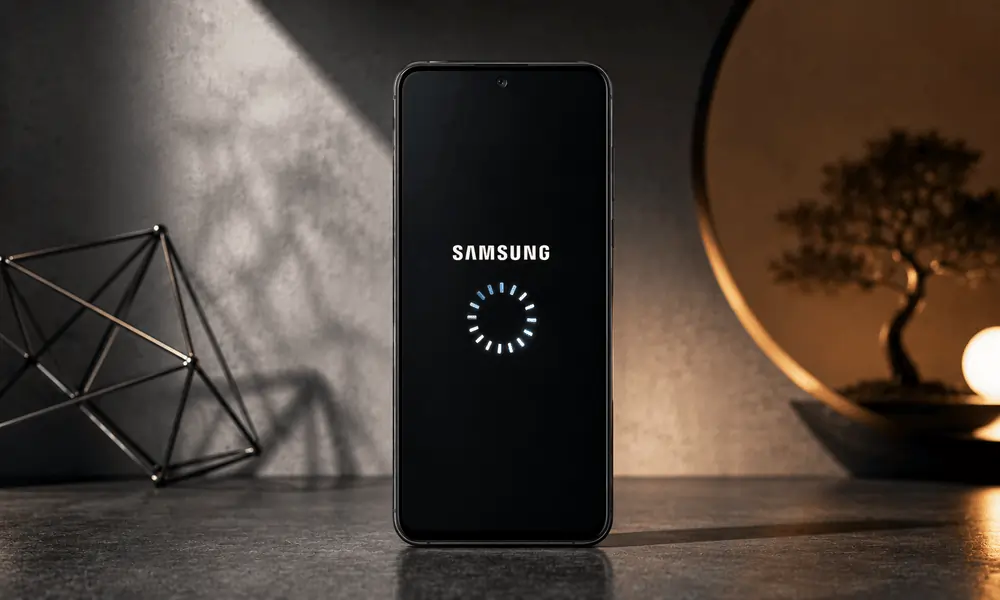
Your Samsung phone is working fine one minute, and the next, it starts restarting. No warning, no error message, just a black screen and the Samsung logo popping up again. If this sounds familiar, you are not alone.
Random restarts are among the most common complaints Samsung users have, and the good news is that most of the time, there is a straightforward reason for them. Whether your phone restarts once a day or gets stuck in a constant reboot cycle, this guide will walk you through exactly what is going on and what you can do to fix it. If you’re experiencing persistent issues and need expert assistance, professional Samsung repairs in Adelaide can help diagnose and resolve both software and hardware-related faults quickly.
In rarer cases, the issue can stem from physical damage such as a loose internal component, water damage, or a damaged power button that is sending continuous restart signals to the system.There is no single answer to this question because the cause can be different for every phone and every user. It could be a software glitch, a dodgy app, a battery that has seen better days, or in some cases, a deeper hardware issue.
Here is a breakdown of the most common causes:
After a system update or app installation, your phone’s software can sometimes develop conflicts. These conflicts can cause your phone to crash and restart unexpectedly. This is one of the most common triggers for random reboots on Samsung Galaxy devices. Many of these problems can be resolved through professional Samsung repair issues and fixes services that identify underlying software conflicts before they lead to bigger performance problems.
Some apps are not well-optimised for your Samsung model or the version of One UI you are running. When these apps run in the background, they can cause your phone to freeze or reboot. This is especially common with apps downloaded outside the Google Play Store.
When a Samsung phone gets too hot, it will often restart itself as a safety measure to prevent internal damage. This can happen if you are gaming for long periods, charging while using the phone, or if the battery is faulty and generating excess heat.
An old or swollen battery that cannot hold a stable charge will often cause random shutdowns and restarts. If your phone is more than two or three years old and the battery has never been replaced, this is a very likely culprit.
When your internal storage is nearly full, your phone’s operating system struggles to function properly. This can lead to crashes, slowdowns, and yes, random restarts.
In some cases, a hardware problem may be causing your Samsung phone to restart. Common issues include a failing battery, a damaged power button, water damage, loose internal connections, or motherboard faults. If your phone continues restarting after trying software fixes, a professional inspection may be needed to identify and repair the underlying hardware issue.
Cause | Common Symptom | Suggested Fix |
Software bug | Restarts after update | Clear the cache partition or factory reset |
Faulty app | Restarts when using a specific app | Uninstall the app, boot in safe mode |
Overheating | The phone is hot before restarting | Remove the case, stop charging while using |
Battery issue | Random shutdowns and restarts | Replace the battery |
Low storage | Restarts during multitasking | Free up space, move files to SD card |
Hardware fault | Constant reboot loop | Professional assessment recommended |
This sounds too simple, but a manual restart clears temporary memory and fixes minor software hiccups. Hold the power button and volume down together for about 10 seconds until the phone reboots. Do this before anything else.
Go to Settings, then About Phone, then Software Update. If there is a pending update, install it. Samsung regularly releases patches that fix known bugs causing random restarts and crashes. Keeping your phone updated is one of the easiest ways to maintain phone performance and stability.
Safe mode temporarily disables all third-party apps. If your phone stops restarting in safe mode, then a downloaded app is almost certainly the cause.
To enter safe mode on Samsung:
Press and hold the power button. When the power menu appears, press and hold Power Off. You will see a prompt to restart in safe mode. Tap OK.
If the problem stops in safe mode, start uninstalling recently downloaded apps one by one until you find the culprit.
Your phone stores temporary data in a cache partition, and sometimes this data becomes corrupted. Clearing it does not delete your personal files.
Power off your phone completely. Press and hold Volume Up and the Power button together. When the Samsung logo appears, release the Power button but keep holding Volume Up. Use the volume buttons to navigate to Wipe Cache Partition and confirm with the Power button. Restart and check if the issue is resolved.
Go to Settings, then Battery and Device Care, then Battery. Look for any apps that are draining a disproportionate amount of battery in the background. You can also check your battery health in some Samsung models under Device Care diagnostics.
If your battery is swollen (the back of the phone looks slightly raised or the screen is lifting), stop using the phone immediately and get it looked at. A swollen battery is a safety hazard.
Go to Settings, then Battery and Device Care, then Storage. Delete unused apps, clear app caches, and move photos and videos to the cloud or an external SD card. As a general rule, try to keep at least 10 to 15 per cent of your storage free at all times.
If nothing else works, a factory reset will return your phone to its original settings and clear any corrupted data. Back up everything first because this process erases all data on your phone.
Go to Settings, then General Management, then Reset, then Factory Data Reset. Follow the prompts to complete the process.
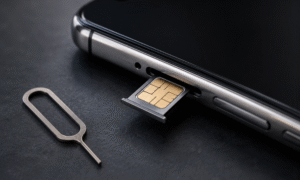
If your Samsung phone continues to restart even after trying all of the above steps, the issue is likely hardware-related. This includes problems such as:
A failing or swollen battery that cannot be fixed through software. Physical damage from a drop or water exposure that has affected internal components. A faulty power button that is stuck or triggering restarts continuously. A damaged motherboard or loose internal connections.

These are not issues you should try to fix yourself. Attempting to open a Samsung phone without the right tools and knowledge can cause further damage and void any remaining warranty. For more complex cases involving battery failures, motherboard faults, or recurring restart problems, seeking professional Samsung phone repairs in Australia is often the safest and most effective solution.
It is time to take your phone in for professional assessment when:
Your phone is stuck in a continuous restart loop and will not stay on. Safe mode does not stop the restarts. Your phone feels unusually hot even when idle. The screen is lifting, or the back panel is bulging. The phone has been exposed to water or dropped recently. You have tried a factory reset, and the problem has returned.
A qualified technician can run diagnostics, identify whether the fault is with the battery, the software, or an internal component, and give you an honest repair estimate before doing any work.
Q: Why does my Samsung phone keep restarting by itself?
A: The most common reasons are a software conflict, a faulty app, low battery health, overheating, or insufficient storage. In some cases, hardware damage is the cause.
Q: Will a factory reset fix random restart issues on Samsung?
A: Yes, a factory reset can fix software-related restart issues. However, if the cause is hardware, such as a failing battery or physical damage, a factory reset will not resolve the problem.
Q: How do I stop my Samsung phone from restarting in a boot loop?
A: Try holding Volume Down and the Power button together to force a restart. If that does not work, boot into recovery mode and wipe the cache partition. If the boot loop continues, a factory reset or professional repair may be necessary.
Q: Is it bad if my Samsung phone restarts itself often?
A: Yes, frequent unexpected restarts are a sign that something is wrong. Ignoring the issue can lead to data loss or the problem getting worse over time. It is worth diagnosing the cause sooner rather than later.
Q: Can a bad app cause my Samsung to restart?
A: Absolutely. A poorly coded or incompatible app running in the background can crash the system and trigger a restart. Boot into safe mode to test whether an app is responsible.
Q: How long does a Samsung phone battery last before it needs replacing?
A: Most Samsung batteries start to degrade noticeably after two to three years of regular use. If your phone is older and restarting randomly, the battery is a strong suspect.
A Samsung phone that keeps restarting itself is frustrating, but in most cases, it is fixable. Start with the simple software-based solutions, work your way through the troubleshooting steps, and see how far you get. A lot of users find that clearing the cache or removing a problematic app is all it takes.
If the issue keeps coming back or you suspect the battery or internal hardware is to blame, do not put it off. Getting a professional assessment sooner can save you from a bigger problem down the track.
For reliable Samsung repair in Adelaide, the team at Sam Phone Repair offers fast and professional Samsung phone repairs across the Adelaide area, covering everything from battery replacements to Samsung phone software and hardware fixes. You can learn more or get in touch directly.