


BLOG
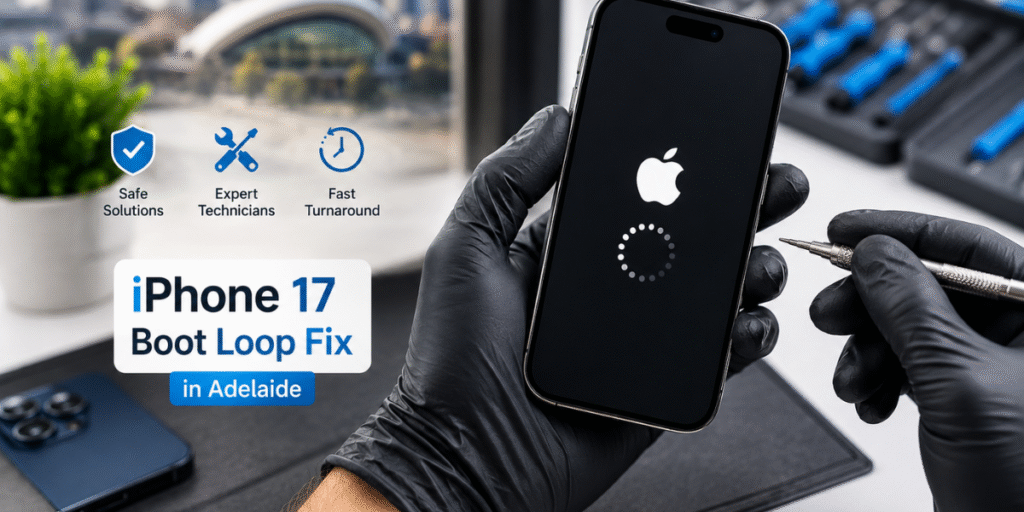
Is your brand new iPhone 17 stuck in a loop where the Apple logo keeps flashing on and off and never fully starts up? This problem is called a boot loop, and it can be scary, especially if you just bought your phone or if it holds important photos, messages, and work files. You are not alone. Many iPhone users in Adelaide have faced this same issue, and the good news is that most of the time it can be fixed safely without losing your data.
In this guide, we will explain why this happens, what you can try at home, and when it is smarter to visit a trusted repair expert. We will keep things simple and easy to understand, so even if you are not a tech person, you will know exactly what to do next.
What Is an iPhone Boot Loop
A boot loop happens when your iPhone tries to start up, shows the Apple logo, then restarts again and again without ever reaching the home screen. Think of it like a car that keeps trying to start the engine but stalls every single time. Your phone is stuck in a cycle it cannot break out of on its own.
This issue can happen after an iOS update, a failed software installation, physical damage, or even a small hardware fault. Since the iPhone 17 is a new release, some early software bugs and update related glitches are also being reported by users worldwide, not just in Adelaide.
Common Signs of a Boot Loop
- Apple logo appears and disappears repeatedly
- Phone restarts on its own every few seconds
- Screen goes black then shows the logo again
- Phone becomes warm or hot during the loop
- Battery drains fast while stuck in the cycle
Be careful: If you notice these signs, stop trying random fixes you find online without understanding them, some steps can make things worse if done incorrectly. An iPhone stuck on boot loop repair specialist can help resolve the issue safely.
Why Does This Happen: Software, Hardware, and Network Causes
Understanding the root cause helps you choose the right fix. Boot loops are usually caused by one of three things.
Software Related Causes
Software issues are the most common reason behind an iPhone 17 boot loop. These include a failed iOS update that got interrupted halfway, corrupted system files, a buggy app that affects the operating system, jailbreak related software conflicts, or insufficient storage space during an update. When Apple releases new versions of iOS, sometimes bugs slip through, and users report random restarts until Apple pushes a fix.
Hardware Related Causes
Sometimes the problem is not software at all. Physical damage from a drop, water exposure, or a faulty battery can also cause boot loops. A damaged logic board, loose internal connector, or overheating component can prevent the phone from completing its startup process. Hardware issues are harder to detect because the phone may look perfectly fine on the outside while the real damage is inside.
Network and Carrier Related Causes
Although less common, some users experience boot loops connected to eSIM activation errors or carrier settings conflicts, especially right after switching networks or restoring a phone from backup. This is more likely if the boot loop started right after inserting a new SIM or activating an eSIM profile. For more information, see this guide on how to fix when iPhone SIM Stuck.
Practical Troubleshooting Steps You Can Try at Home
Before rushing to a repair shop, there are a few safe steps you can try yourself. These are simple, free, and will not damage your phone further if done correctly.
Step One: Force Restart Your iPhone
Quickly press and release volume up, then volume down, and hold the side button until the Apple logo appears. This can clear temporary glitches.
Quickly press and release volume up, then volume down, and hold the side button until the Apple logo appears. This can clear temporary glitches.
↓
Step Two: Charge Your Phone Properly
Connect your iPhone to its original charger and let it charge for at least 30 minutes. A very low battery can sometimes contribute to restart loops.
Connect your iPhone to its original charger and let it charge for at least 30 minutes. A very low battery can sometimes contribute to restart loops.
↓
Step Three: Put Your iPhone Into Recovery Mode
Connect your iPhone to a computer and enter recovery mode. Use Finder or iTunes to choose Update first, which attempts to reinstall iOS without erasing your data.
Connect your iPhone to a computer and enter recovery mode. Use Finder or iTunes to choose Update first, which attempts to reinstall iOS without erasing your data.
↓
Step Four: Use DFU Mode as a Last Resort
DFU mode provides a deeper recovery option for serious software issues. Follow the instructions carefully, as restoring through DFU can erase your data.
DFU mode provides a deeper recovery option for serious software issues. Follow the instructions carefully, as restoring through DFU can erase your data.
↓
Step Five: Restore From a Backup
If the boot loop continues, restore your iPhone from a recent iCloud or computer backup. Any data not included in the backup may be lost.
If the boot loop continues, restore your iPhone from a recent iCloud or computer backup. Any data not included in the backup may be lost.
When to Seek Professional Repair
If you have tried the steps above and your iPhone 17 is still stuck in a boot loop, it is time to stop trying more fixes on your own. Continuing to attempt technical steps without proper knowledge can sometimes cause permanent data loss or further damage to internal components.
When You Should Visit a Professional Repair Service
- The phone shows signs of water damage or was recently dropped
- The battery feels unusually hot or swollen
- Recovery mode and DFU mode do not resolve the issue
- You are not confident using a computer to restore the phone
- The phone contains important data you cannot afford to lose
- The boot loop started suddenly with no update or app installed
A certified technician has access to diagnostic tools that can pinpoint whether the issue is software based or hardware based, something that is very hard to know for certain from home. They can also often recover data that would otherwise be lost during a full restore.
Why Professional Diagnosis Matters
Many people assume that a boot loop always means the phone is broken beyond repair, but that is rarely true. A skilled technician can run deeper diagnostics that check the logic board, battery health, and internal connectors, something a regular restore or reset cannot reveal. This is especially important for the iPhone 17, since it is a newer model and some repair centers are still gathering real world experience and data on how it handles software failures compared to older models like the iPhone 15 or iPhone 16.
Tip: Choosing a repair provider with proven experience matters. Look for a shop that is transparent about pricing, explains the diagnosis in plain language, and offers a warranty on their repair work. This shows they stand behind their service and gives you peace of mind.
How to Prevent Boot Loops in the Future
Prevention is always better than a stressful repair visit. Here are simple habits that reduce your risk of facing this problem again. Repair services can also help if the issue continues.
- Always keep your iPhone updated to the latest stable iOS version
- Avoid interrupting updates once they begin
- Keep at least ten to fifteen percent of your storage free at all times
- Avoid installing apps or profiles from unknown or unofficial sources
- Back up your phone regularly using iCloud or your computer
- Use a genuine Apple charger and cable to avoid power related issues
Following these small habits can save you a lot of stress and protect your important memories and files.
Frequently Asked Questions
Q: What causes an iPhone 17 to get stuck in a boot loop?
A: Boot loops are usually caused by failed software updates, corrupted system files, low storage during an update, battery issues, or in some cases physical damage to internal hardware.
Q: Can I fix a boot loop without losing my data?
A: Yes, in many cases a force restart or recovery mode update can fix the issue without erasing your data. However, if the phone requires a full restore, unsaved data since your last backup may be lost.
Q: Is a boot loop covered under Apple warranty?
A: If the issue is caused by a manufacturing defect and your phone is still under warranty, Apple may repair or replace it for free. Physical damage or water damage is usually not covered.
Q: How long does an iPhone boot loop repair take?
A: Simple software related boot loops can sometimes be fixed within an hour, while hardware related issues may take longer depending on the parts needed and diagnosis required.
Q: Should I try DFU mode myself?
A: DFU mode can fix deeper software issues, but it should only be attempted if you are confident following precise steps, since mistakes can lead to complete data loss.
Final Thoughts
Dealing with an iPhone 17 boot loops can feel stressful, especially when your phone holds important memories, contacts, and work information. Most boot loops are fixable, whether through a simple restart, a recovery mode update, or professional diagnosis when needed. Start with the safe troubleshooting steps at home, and if the problem continues, trust a qualified technician in Adelaide to safely diagnose and repair your device without unnecessary risk to your data.
For residents facing this issue, Sam Phone Repair in Adelaide offers professional diagnosis and safe repair solutions for iPhone boot loop issues, helping customers avoid unnecessary data loss and get their devices working again quickly.